
Purpose-Built Applications & Portals
GTS connects customers, technicians, and regional partners using dedicated applications tailored for each role's distinct workflow and operational responsibilities.
Architectural Presentation & Verified Download Policy
The interfaces illustrated on this page represent the operational architecture of GTS applications. Official download links or installer packages are activated only when confirmed and released by GTS management. We do not link to unverified store listings or dummy APK files.
GTS Customer App
Designed for homeowners, tenants, and local businesses to discover verified trade categories, submit repair requests, monitor technician progress stages, and safely authorize completion using a secure one-time PIN (OTP).
Key Customer Capabilities:
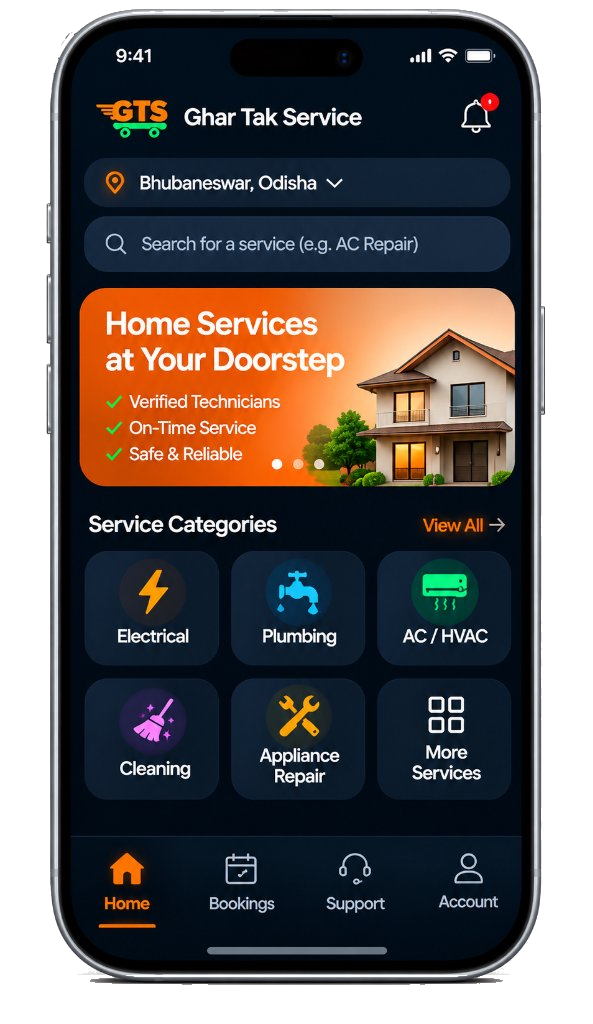
Complete Customer App Journey (8 Clear Steps)
From initial category search to safe inspection and OTP-verified closure.
Discover by Locality
Open the app and choose your residential pincode or neighborhood to view active local trades.
Select Trade & Scope
Pick your service category (electrical, plumbing, AC, etc.) and describe the specific repair need.
Submit Service Request
Review address details, choose your preferred timing, and submit your request for automated matching.
Follow Status Milestones
Watch real-time stage updates in your app: "Dispatched", "En Route", and "Arrived at Doorstep".
Direct In-App Coordination
Communicate directly with your assigned verified technician via app tools for location directions.
Demonstration & Inspection
The technician executes the repair and demonstrates functionality. Inspect the work personally.
Authorize Handover via OTP
Share your 4-digit Completion OTP with the technician only after you are satisfied with the inspection.
Submit Craftsmanship Review
Rate your technician and leave constructive feedback to help maintain quality platform standards.
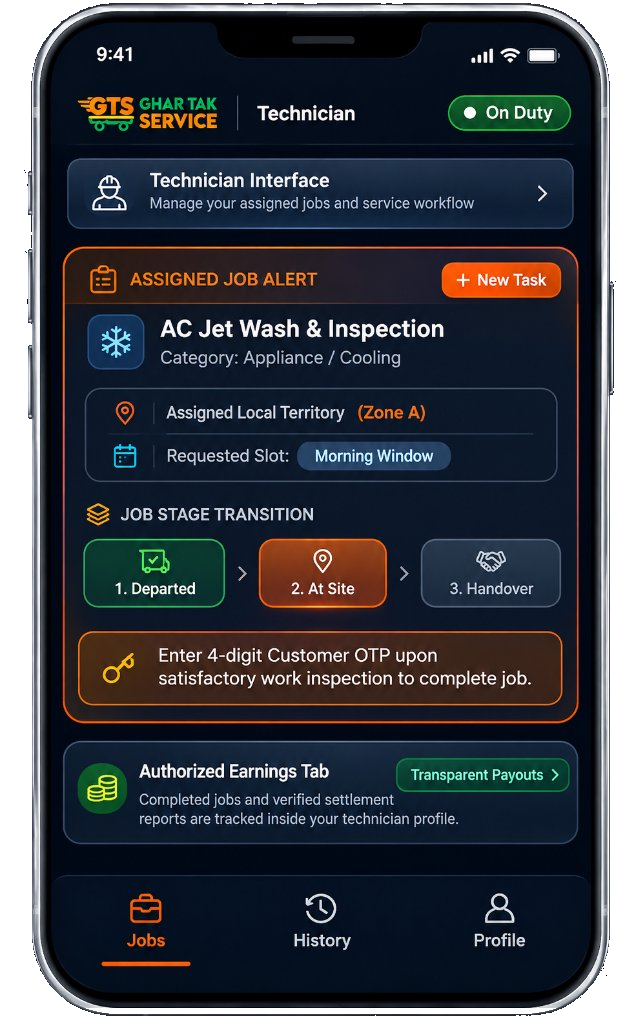
GTS Technician App
Equipping trade professionals with a clean, field-tested interface to receive assigned dispatch tasks, update job stages, record safety verifications, complete OTP handovers, and track authorized earnings.
Technician Workflow Features:
Complete Technician App Journey (7 Clear Steps)
From onboarding and dispatch alerts to milestone updates, OTP handovers, and authorized earnings info.
Profile & Trade Registration
Submit your trade qualifications, personal identification, and preferred operating territory.
Regional Partner Verification
Regional franchise coordinators review credentials and activate your profile with dispatch access.
Live Territory Alerts
Receive instant task dispatches in your assigned zone with problem details and location guidance.
Job Progress Updates
Tap to update stages: "Departed for Site", "Arrived at Doorstep", and "Work in Progress" for tracking.
Standard Safety Protocols
Perform the service using safety guidelines and trade-specific diagnostic tools.
Handover OTP Validation
Demonstrate completed work to the customer and enter their verified 4-digit Completion OTP to close.
Authorized Earnings Information
Access your transparent profile earnings dashboard showing verified tasks and payout settlements.
GTS Regional Partner Web Portal
The command center for authorized regional franchise operators. Designed for desktop and tablet displays to supervise localized dispatch streams, manage technician rosters, and monitor customer reviews.
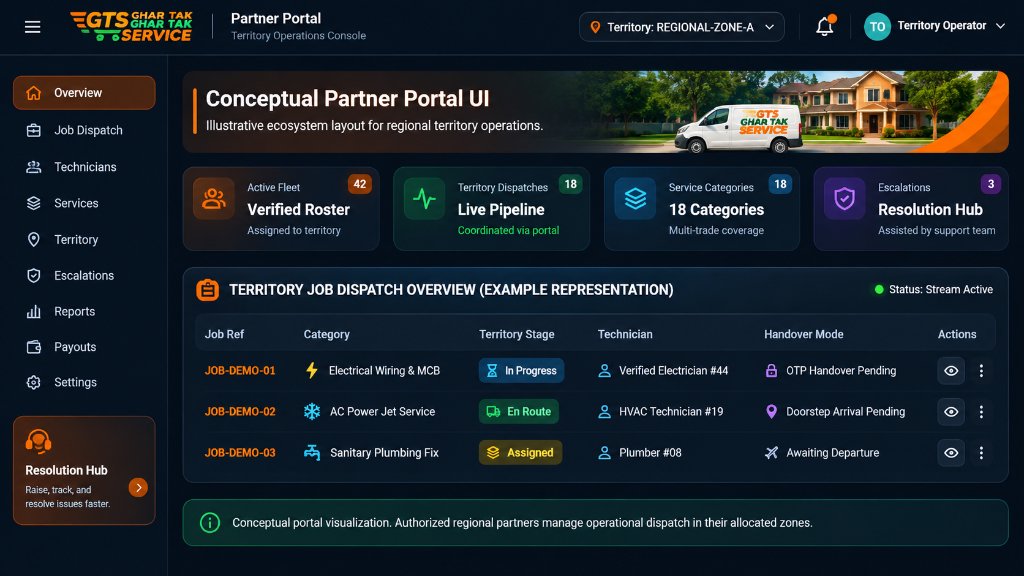
Conceptual portal visualization. Authorized regional partners manage operational dispatch in their allocated zones.
Fleet Rostering
Review technician certifications, on-duty presence, active trade allocation, and performance history in your territory.
Dispatch Stream
Live visibility into incoming requests, routing status, and technician fulfillment across your designated pincode zones.
Quality Resolution
Monitor customer feedback ratings, handle escalation tickets, and preserve high standards of local service execution.